How to Generate Personalized Videos at Scale Using Vinna AI
22 february 2025 · 4 min read
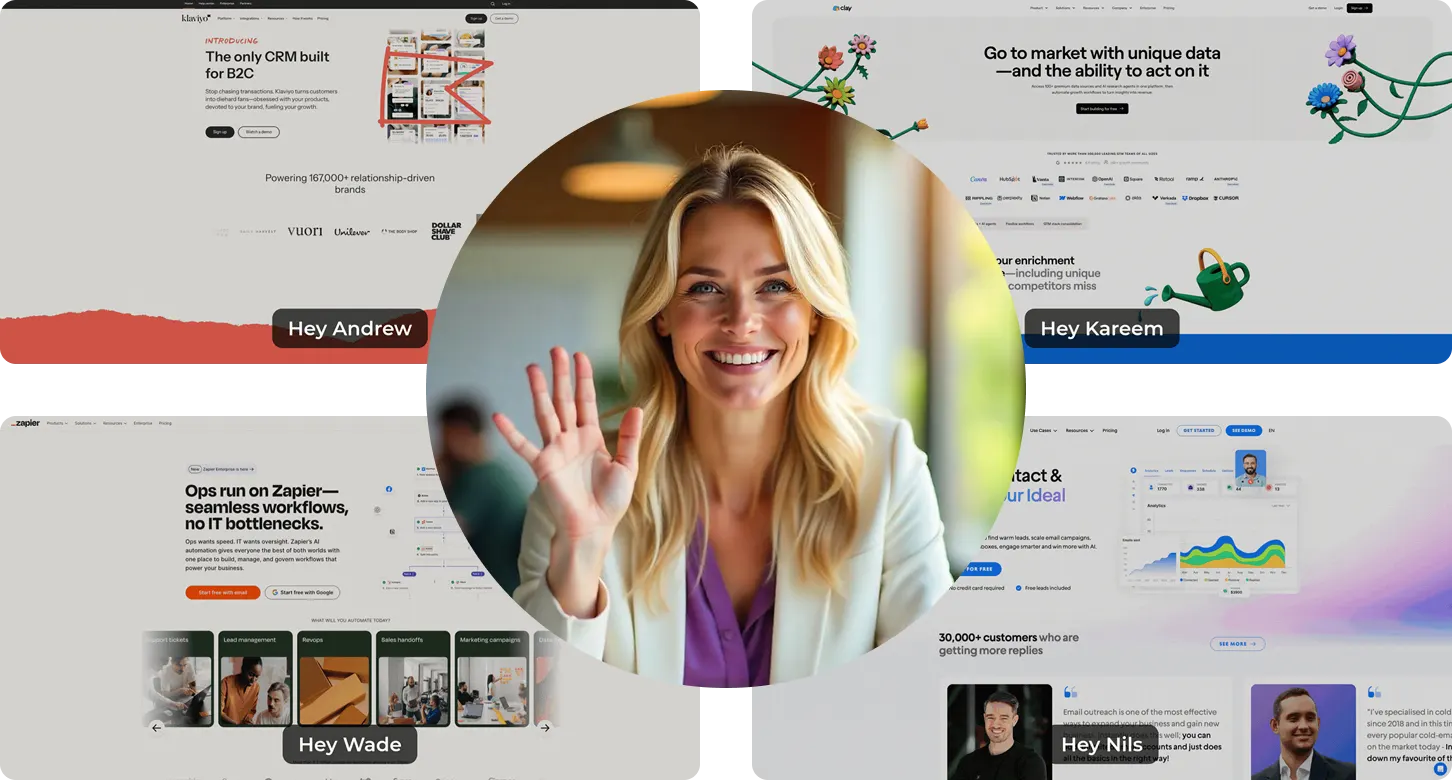
In today’s fast-paced outbound sales landscape, personalization is the key to standing out. Sending personalized videos can dramatically boost engagement rates, but manually recording individual videos for every prospect is impractical. What if you could generate 1,000 personalized Loom-style videos in minutes?
In this guide, I’ll show you how to automate the creation of personalized outreach videos at scale using Vinna AI. By the end, you’ll be able to personalize video thumbnails, backgrounds, and even landing pages - all within minutes.
The Power of Personalized Video Outreach
Personalized videos have proven to significantly increase response rates in outbound campaigns. Instead of sending generic text-based emails, you can embed a video where you:
- Mention your prospect’s name and company.
- Scroll through their website or LinkedIn profile.
- Include a pre-recorded video pitch with a strong call to action.
With Vinna AI, this entire process is automated. Let’s break down how it works.
Step 1: Setting Up Your Lead List
Before you start generating videos, you need a structured lead list. Follow these steps:
- Prepare a CSV file with columns such as:
- First Name
- Last Name
- Email Address (unique identifier)
- Company Name
- Website URL or LinkedIn Profile
- Upload the CSV to Vinna AI.
- Map variables (e.g., “First Name” and “Company Name”) to ensure proper personalization.
Vinna AI will use these data points to dynamically generate video variations for each lead.
Step 2: Creating Personalized Landing Pages
Each personalized video needs a dedicated landing page. Here’s how to create one:
- Go to the Landing Page section in Vinna AI.
- Choose a template or build one from scratch.
- Drag and drop elements like:
- Personalized video blocks
- Testimonials and case studies
- Embedded Calendly links for easy scheduling
- FAQs and social media links
- Save and publish the landing page.
Now, whenever a prospect clicks your video link, they’ll land on a fully branded, high-converting page.
Step 3: Uploading Your Video Pitch
Your video pitch is what makes the outreach compelling. There are two types of videos you should upload:
- Face-cam Video: A short, direct pitch where you introduce yourself and the value you provide.
- Pre-recorded Demo: A longer video showcasing your service, success stories, or a product demo.
How Vinna AI Uses These Videos
- The face-cam video appears as an overlay while scrolling through the prospect’s website or LinkedIn profile.
- The pre-recorded demo plays immediately after, reinforcing your offer.
Step 4: Generating Personalized Videos at Scale
Once you have your audience, landing page, and video assets ready, it’s time to generate the personalized videos. Here’s how:
- Create a New Campaign
- Select the uploaded audience (your lead list).
- Assign a landing page to host the videos.
- Map variables like First Name and Company Name.
- Design the Video Variants
- Choose a background (Website or LinkedIn Profile).
- Enable “Pop-up Mode” to remove unwanted elements (e.g., cookie banners).
- Select the face-cam video and pre-recorded demo.
- Customize the Video Thumbnail
- Add a title (e.g., “Video for [First Name]”).
- Generate an animated preview for higher engagement.
- Launch Video Generation
- Click Generate Videos and let Vinna AI process them.
- The first few videos take a couple of minutes, but bulk processing speeds up exponentially.
Step 5: Integrating Personalized Videos into Your Email Outreach
Now that your personalized videos are ready, you need to embed them in your cold email sequences. Here’s how:
- Upload the same lead list to your email-sending tool (Instantly, Smartlead, etc.).
- Use Vinna AI’s Integration or Copy-Paste Method
- If your email tool integrates with Vinna AI, connect your account.
- If not, copy the embed code and paste it into your email template.
- Structure Your Email
                Subject: [First Name], recorded this for you!

                Hi [First Name],

                I made this quick video to share some ideas on how [Company Name] can benefit from [Your Offer].

                Watch it here: [Personalized Video Link]

                Would love to hear your thoughts.

                Best,
                [Your Name]
Test the Emails
- Ensure links dynamically update with each recipient’s email.
- Preview the email to verify the video thumbnail displays correctly.
Step 6: Tracking and Optimizing Performance
Vinna AI provides in-depth analytics to help you track performance. You can monitor:
- Video views (Who clicked and watched?)
- CTA clicks (Who clicked the “Book a Call” button?)
- Conversion rates (Meetings booked vs. videos sent)
You can also integrate with Zapier or Make.com to automate workflows and further optimize your outbound efforts.
Results: How Well Does This Strategy Work?
Using Vinna AI for personalized video outreach has led to incredible results:
- 145+ meetings booked instantly
- 529+ calendar events created purely from outbound efforts
- Higher engagement rates than traditional text-based emails
By leveraging automation, personalization, and scalable video outreach, you can replicate this success for your business.
Conclusion: Take Action Today
Personalized video outreach doesn’t have to be time-consuming. With Vinna AI, you can:
- Automate the creation of personalized videos at scale.
- Enhance engagement with custom landing pages.
- Integrate seamlessly into your email outreach campaigns.
- Track and optimize performance for maximum conversions.
Ready to supercharge your cold email strategy? Try Vinna AI today and start generating personalized videos at scale.
Join the Free Skool Community
Want to learn best practices and get insider tips on outbound strategies? Join our free Skool community, where we discuss proven tactics to improve response rates and book more meetings effortlessly.
Cheers to more successful outreach!
Engage leads at scale. Make every pitch personal.
Create personalized videos, build stronger connections, and book more meetings.